Visit Findlay Account Set Up Instructions
Creating an account for Visit Findlay is an easy and efficient way to create and manage events, and complete the Grant Program. Creating an account is easy, simply go to: VisitFindlay.com/grantsignup or email Danielle Wilkin.
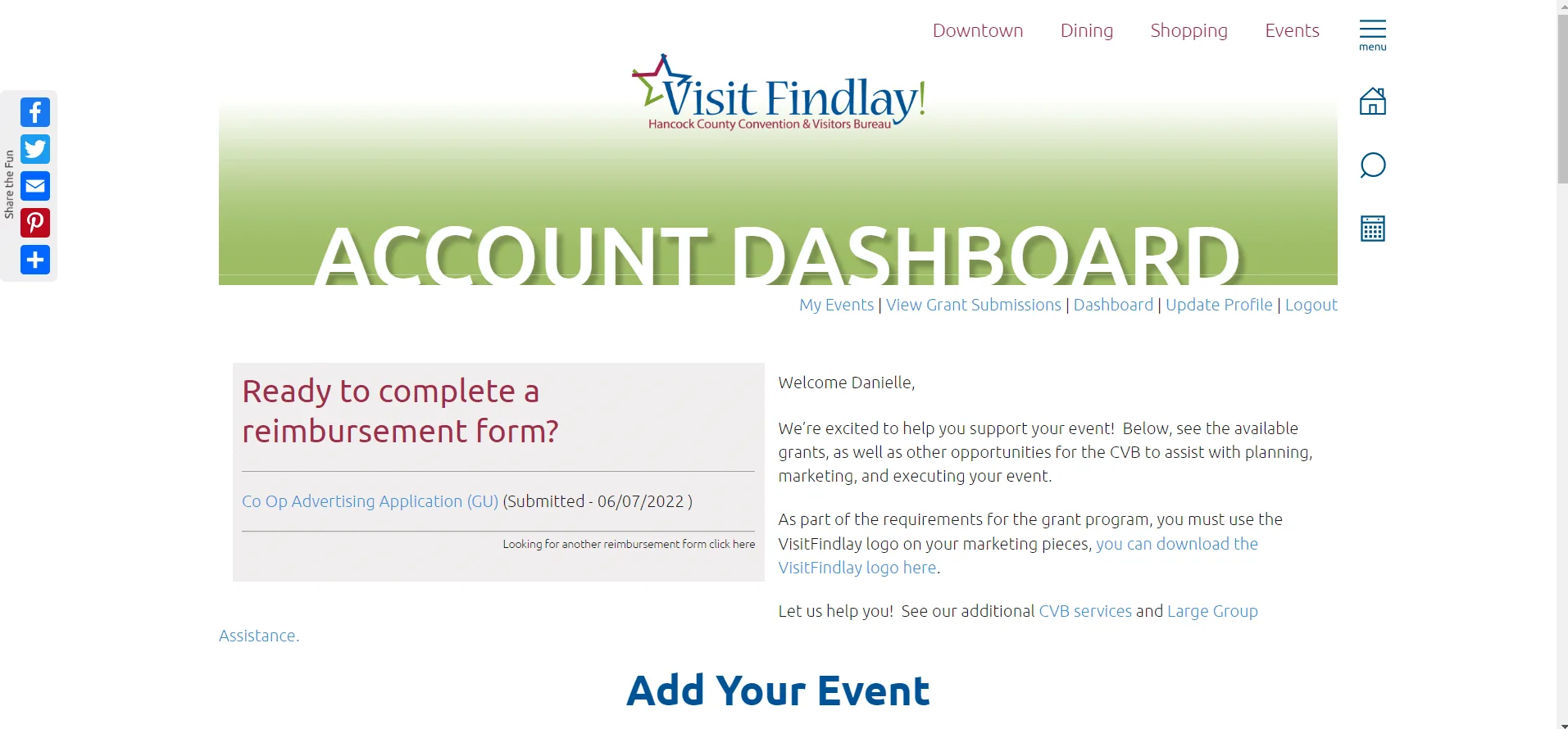
Once you have requested an account, you will receive an email invitation the next business day. Follow the prompts in the email to activate your account. Once you do so you can access your Dashboard.
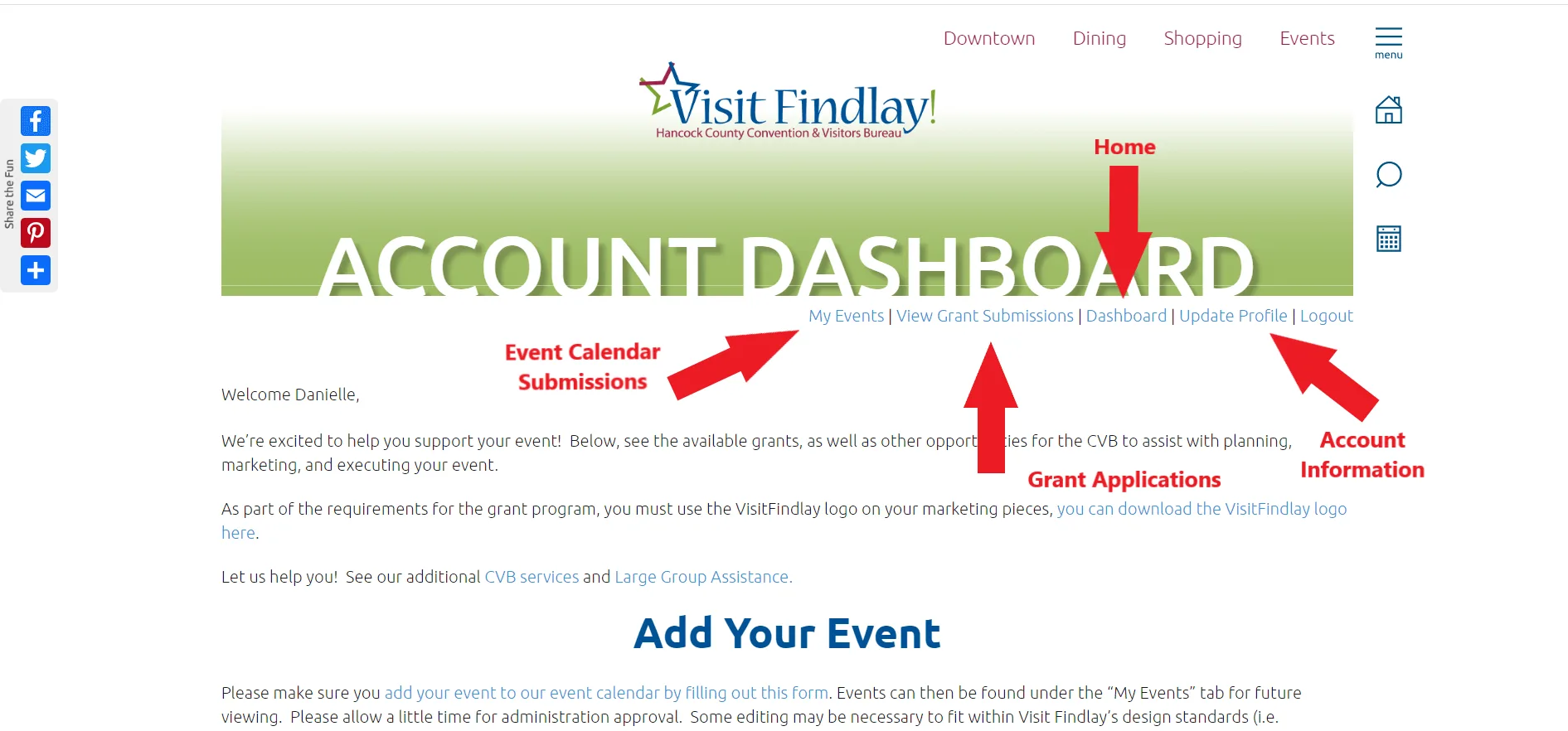
See the step-by-step instructions to manage events on the calendar and apply for grants!
Submit and Manage Events
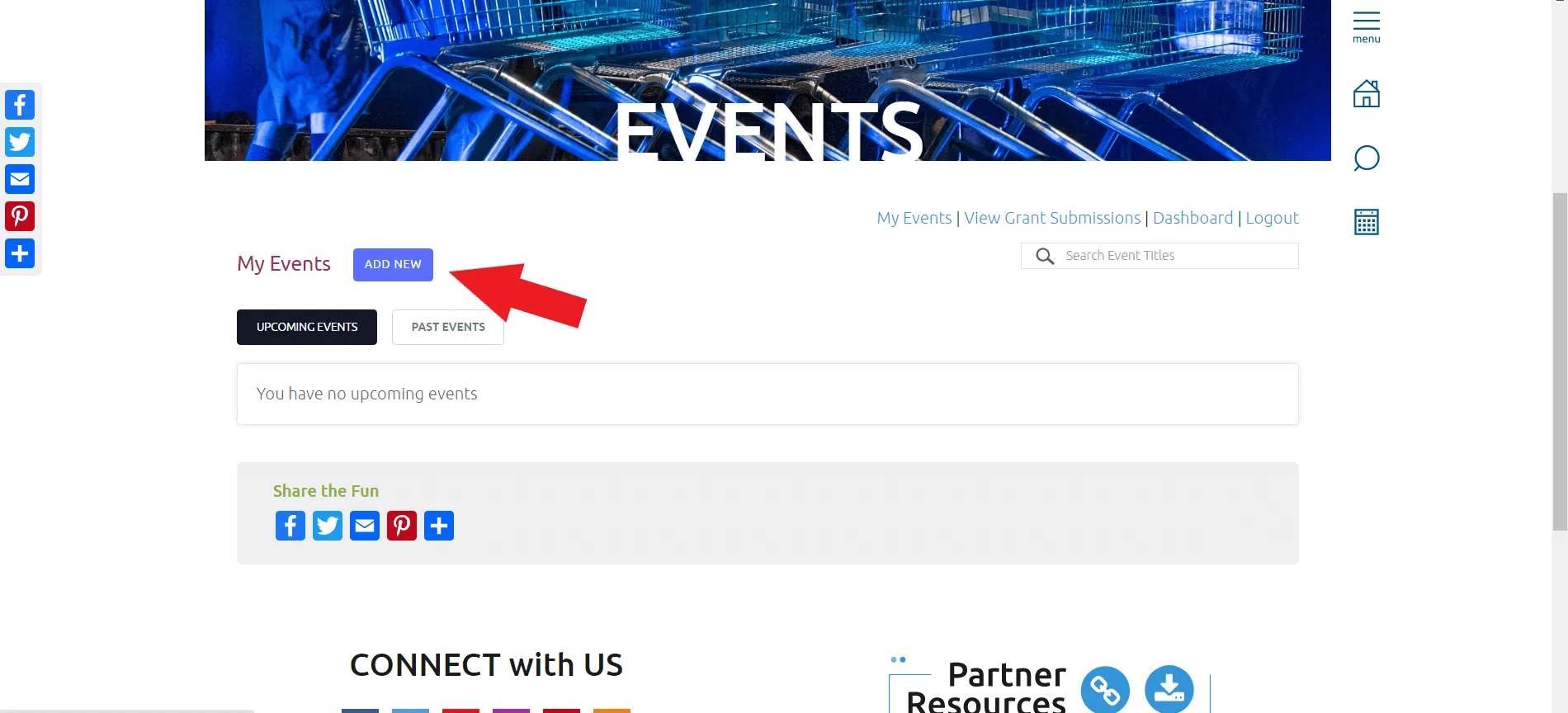
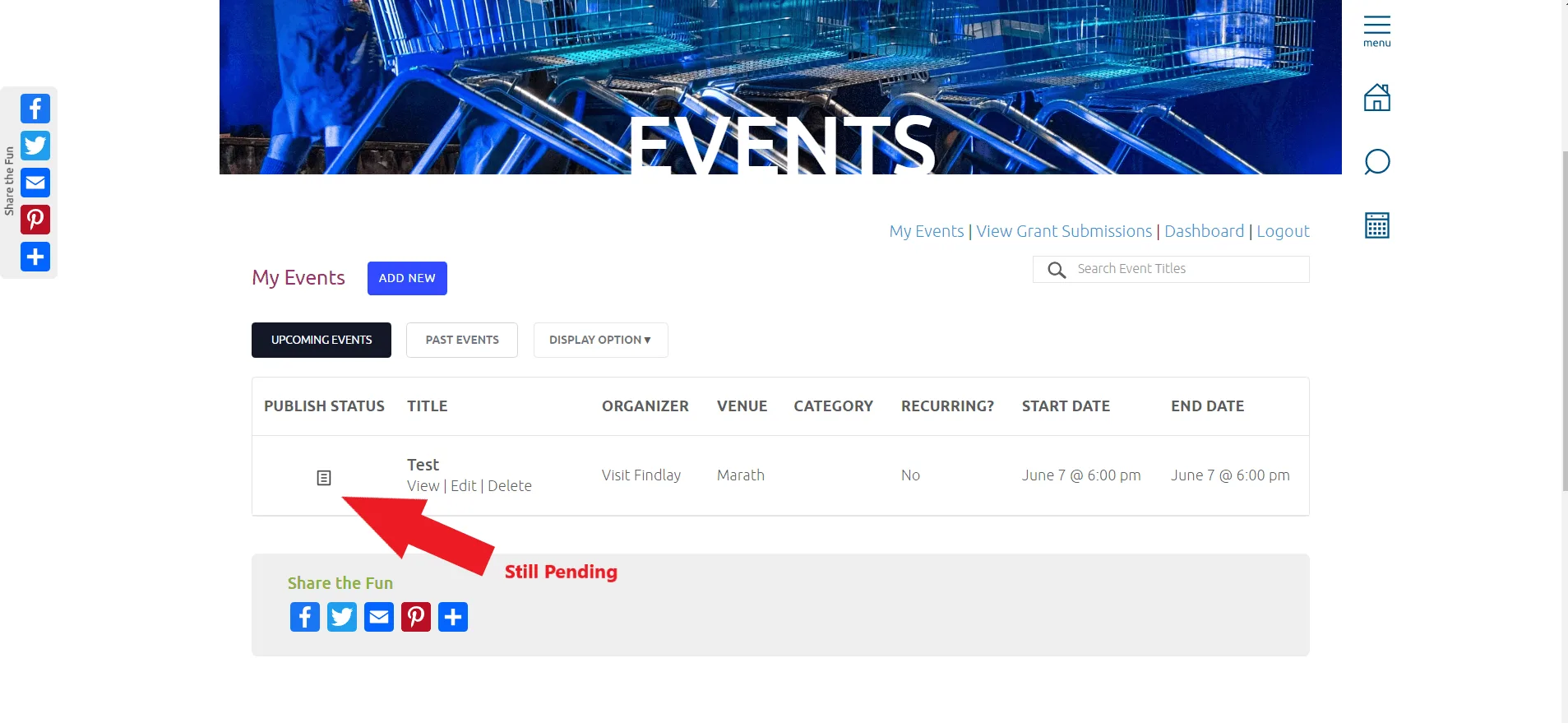
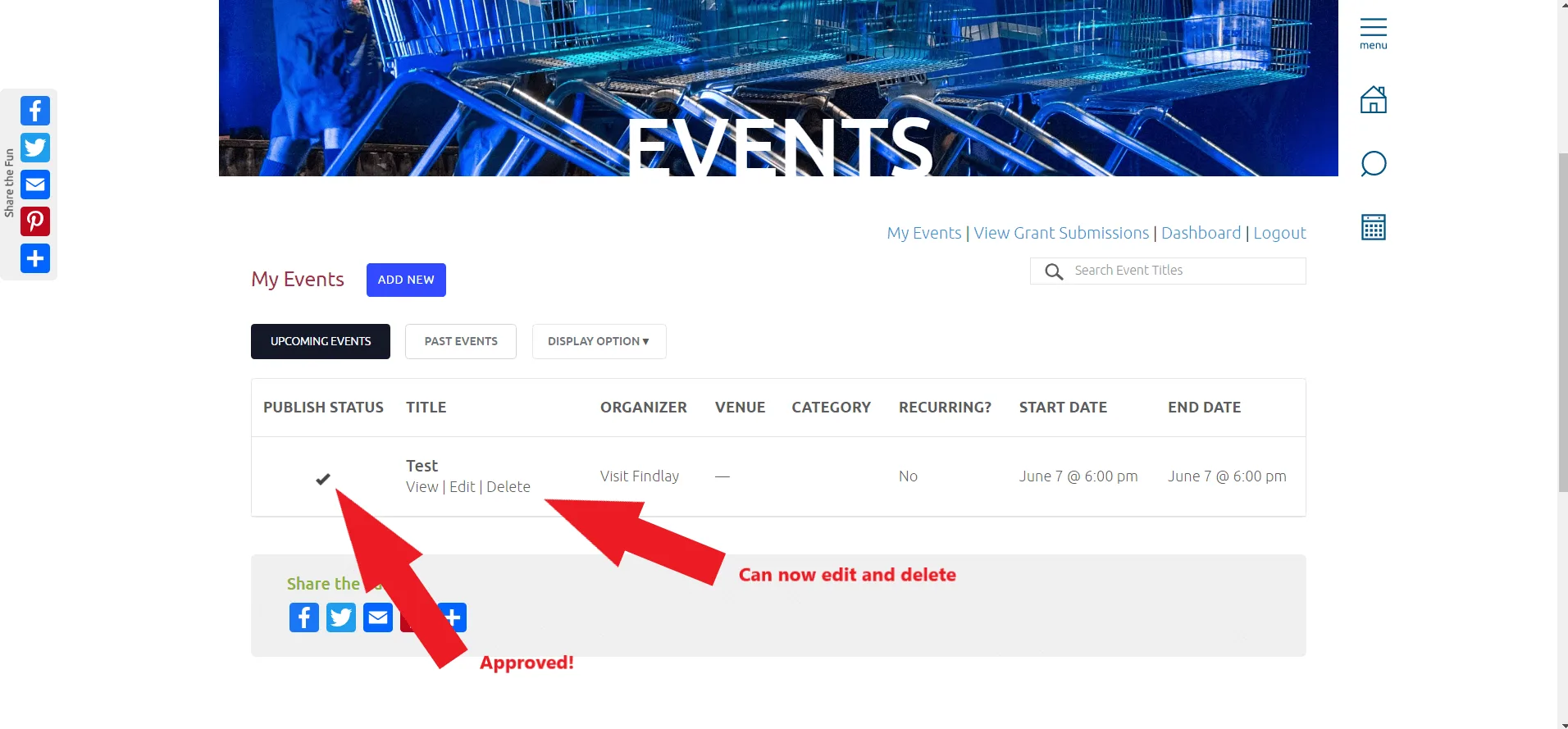
Events are, by far, the most viewed items on VisitFindlay.com. Through your account you can add your events to the event calendar, and manage them as well. You simply fill out the form and wait for the CVB to approve the listing!
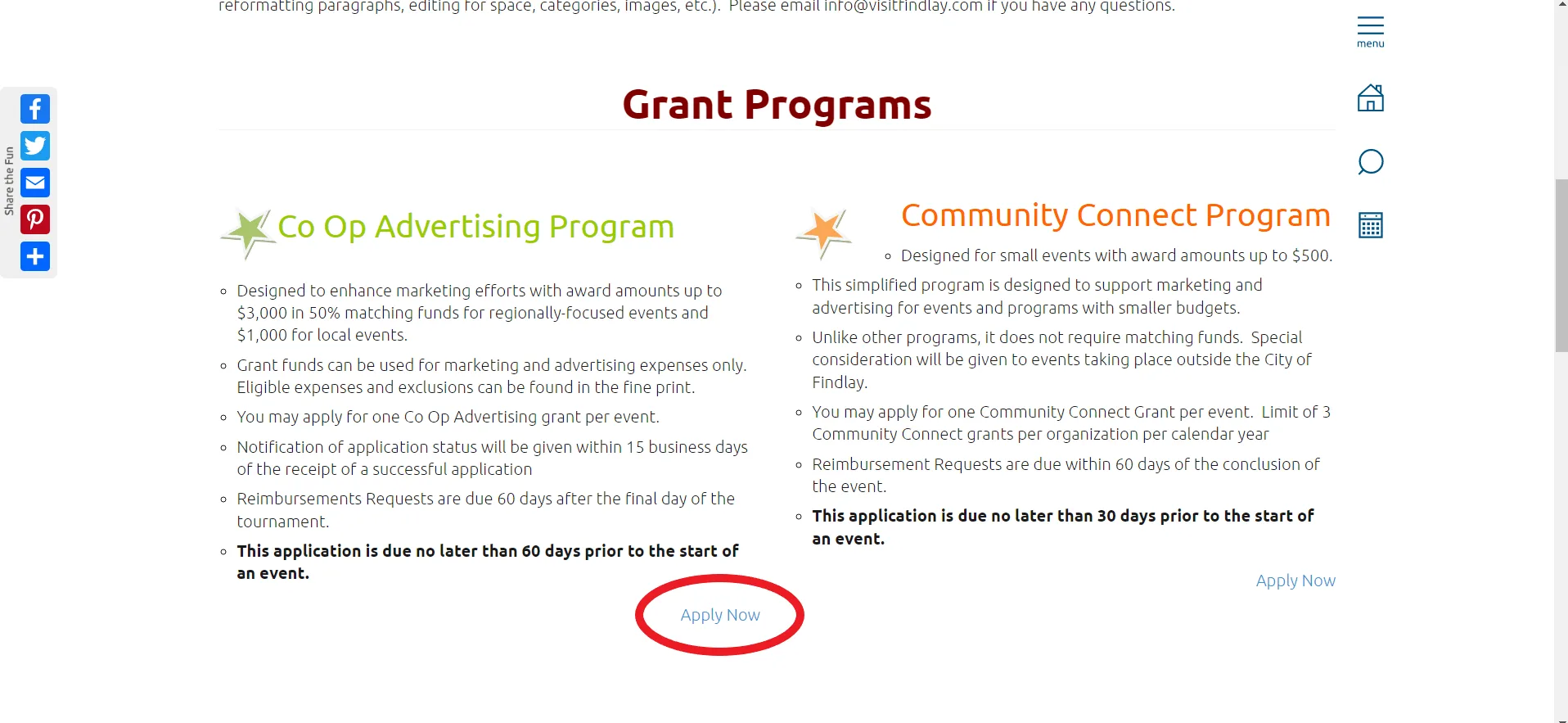
Apply for Grants
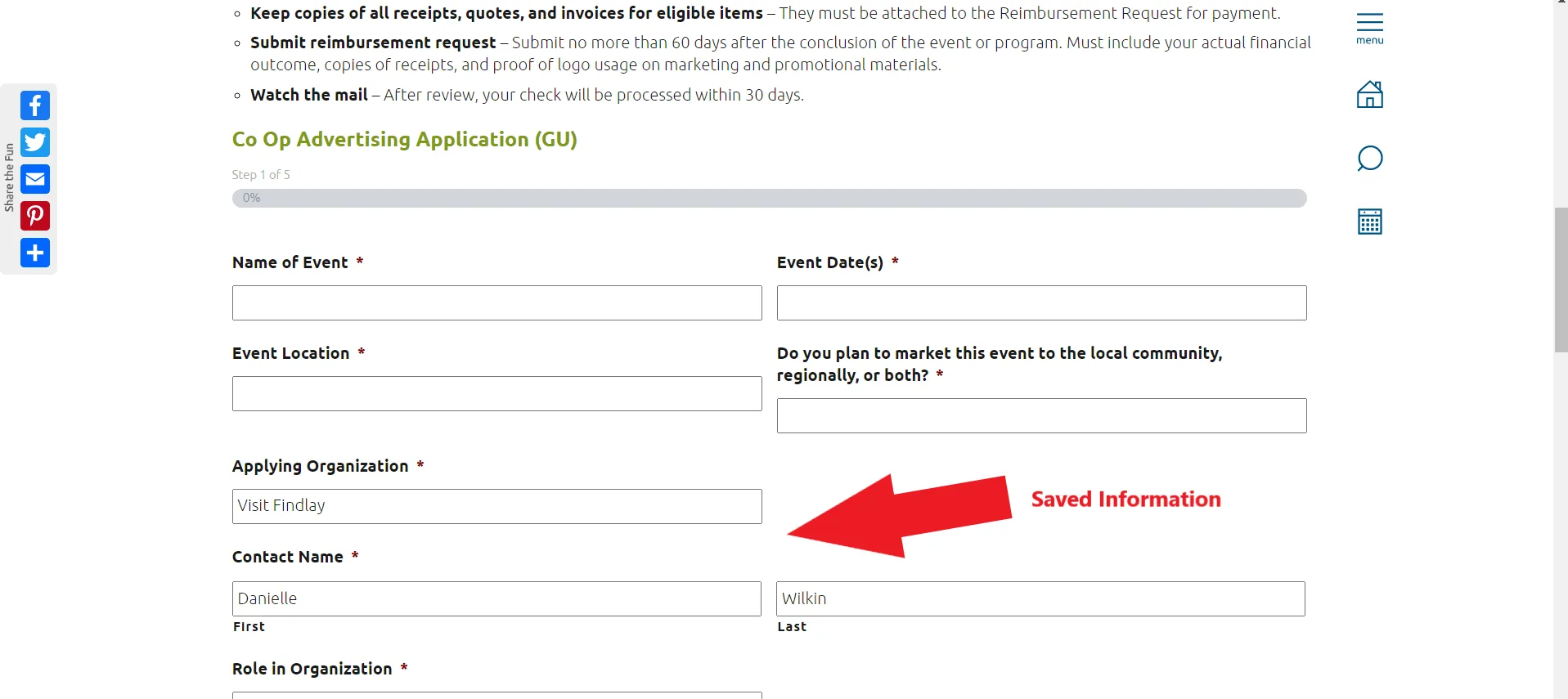
The CVB has several grant programs available and applying through your account makes it easier to complete reimbursements and apply next year! Your information is saved and easily accessible
year-to-year.

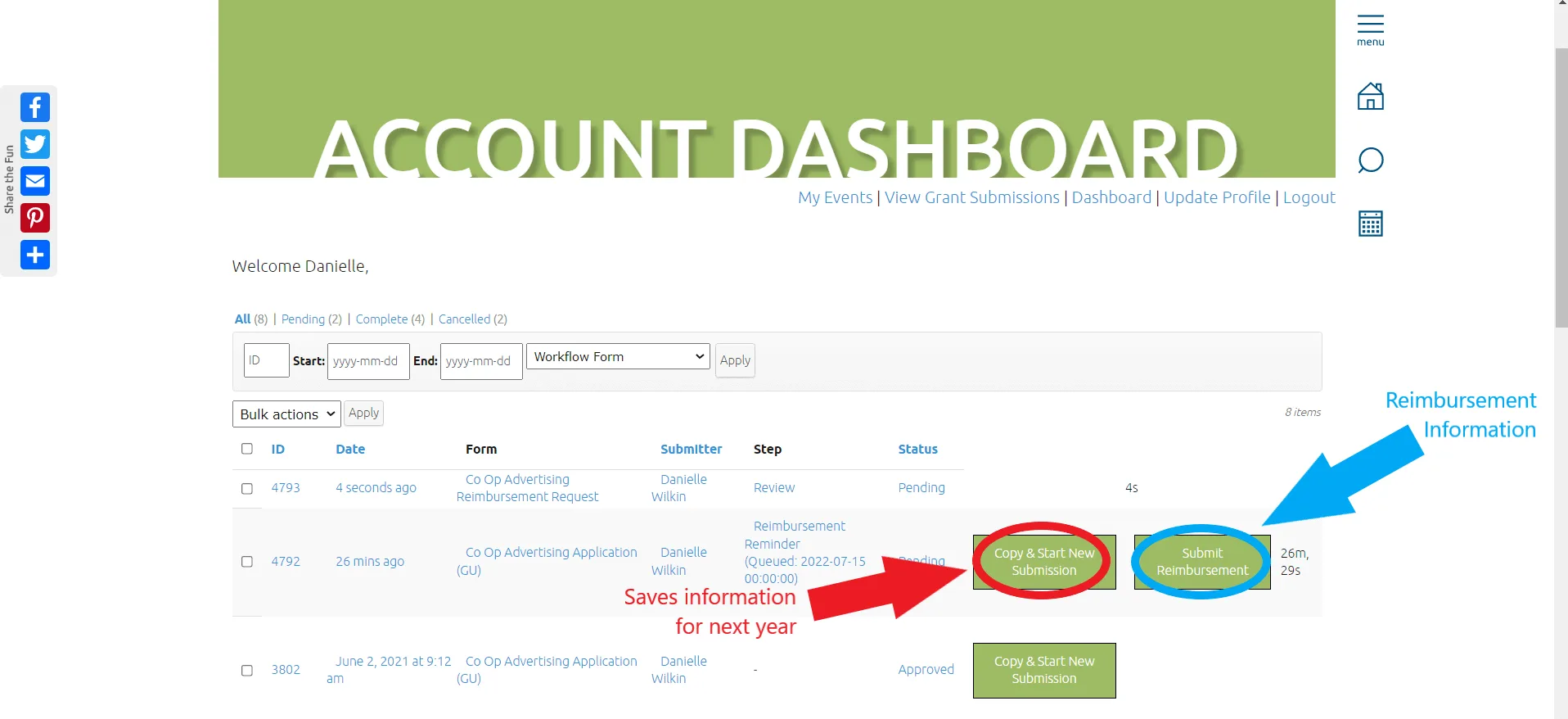
Next year you will click the Copy button to fill out your application.

If you have any questions please don’t hesitate to call 419-422-3315 or email info@visitfindlay.com!